TraceTracks: finding YouTube reuploads of SoundCloud tracks
An OSINT tool that maps a SoundCloud artist's tracks to their YouTube reuploads, remixes, and bootlegs.
Oblivios/TraceTracksWhen people make music, others reupload it. SoundCloud doesn’t tell you when a track of yours surfaces on YouTube under someone else’s channel, retitled, sliced into a mix, or claimed as a bootleg. TraceTracks does.
It’s a small Python tool. Point it at a SoundCloud user, it pulls their track list, searches YouTube for each title, filters out the noise, and writes the results to disk. Run it again later and it updates view counts in place.
The shape of it
Two endpoints do the work:
- SoundCloud’s internal
api-v2.soundcloud.com, the same one the website uses, which returns a user’s tracks given their numeric ID. - YouTube Data API v3, for search and video metadata.
The bridge between them is the track title. SoundCloud titles are messy. A typical track on a producer’s profile looks like MySong [Techno Bootleg] or Track Name (Techno Remix). YouTube doesn’t index those tags the same way, and matching them verbatim wastes API quota on garbage results.
The cleaned title plus the artist name becomes the YouTube query.
Filtering false positives
Searching YouTube for a track title and artist returns a page of results, most of them unrelated. The cheap heuristic that holds up well: require the query string to appear in the video description.
Reuploaders almost always paste the original title and artist into the description, out of habit. Anyone who scrubs the description was going to be hard to catch anyway. This single check kills most of the noise.
Getting the client_id
SoundCloud’s v2 API needs a client_id. You pull yours from the network panel of any logged-in session: any XHR to api-v2.soundcloud.com carries it as a query parameter.

The token rotates eventually but lasts long enough to be useful. If a run starts failing with 401s, grab a fresh one.
Interactive mode
The interesting use case isn’t “scan one artist once”. It’s working through a back catalog and deciding per track whether to spend API quota on it. The interactive mode lists tracks one at a time and waits for a single keypress, no Enter required: on Windows via msvcrt, on Linux/macOS via termios raw mode.
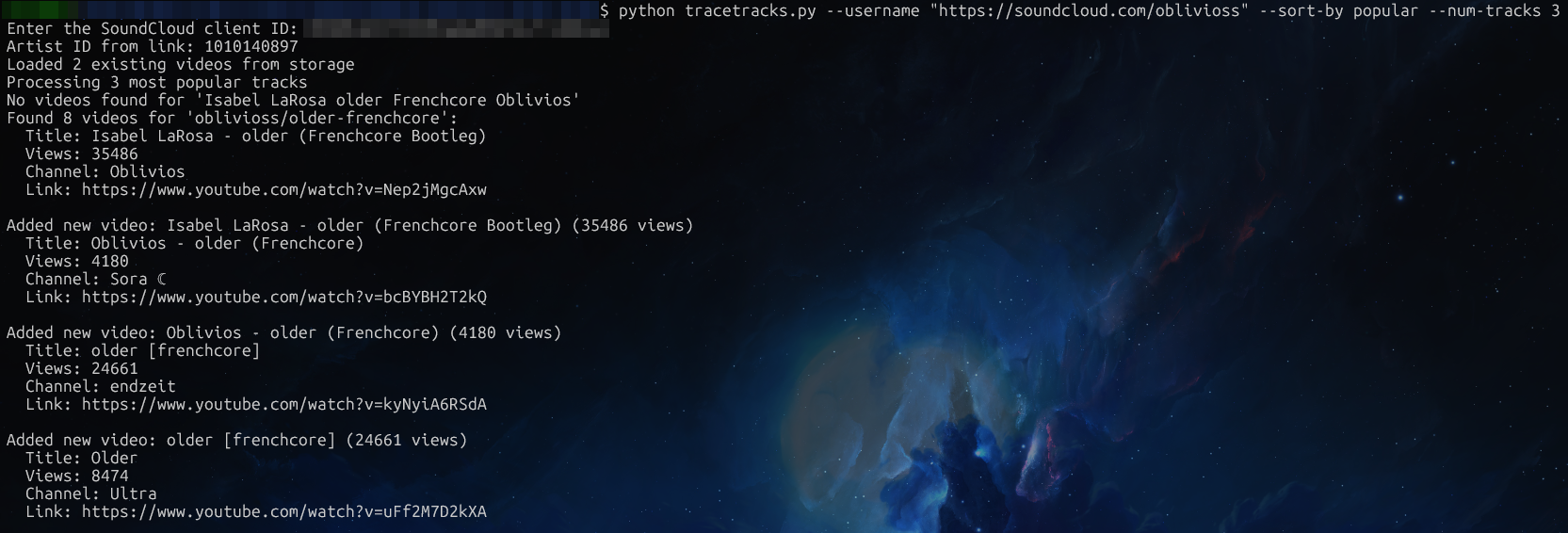
Three flags steer it:
-s "title or soundcloud url"for one specific track-afor all tracks, prompt for each-sb popular -n 5for the top five by play count, no prompt
Storage
Two files, plain text:
storage/links.txt: one YouTube URL per line, for piping into anything else.storage/links_info.txt: blocks of title, views, author, and link separated by blank lines.
The format is grep-friendly and survives manual editing. On every run, existing entries get their view counts updated if the new value is higher; new entries get appended.
Analytics
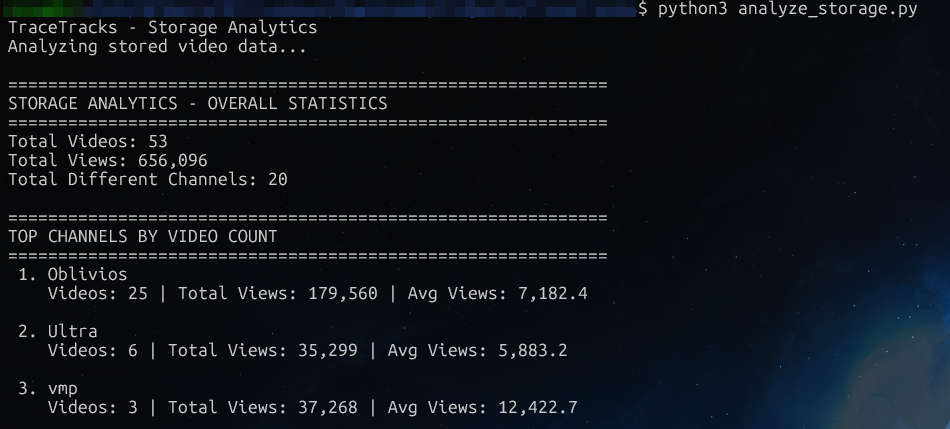
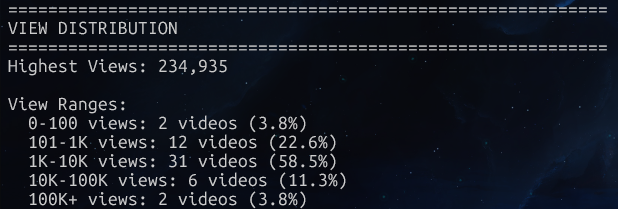
analyze_storage.py reads the same file and prints summary stats: total videos, top channels by upload count and by total views, and a view-bucket histogram.